# Redis as an in-memory data structure store quick start guide
```json metadata
{
"schema_version": 2,
"title": "Redis as an in-memory data structure store quick start guide",
"description": "Understand how to use basic Redis data types",
"categories": ["docs","develop","stack","oss","rs","rc","oss","kubernetes","clients"],
"tableOfContents": {"sections":[{"id":"setup","title":"Setup"},{"id":"connect","title":"Connect"},{"id":"store-and-retrieve-data","title":"Store and retrieve data"},{"id":"scan-the-keyspace","title":"Scan the keyspace"},{"id":"next-steps","title":"Next steps"},{"id":"continue-learning-with-redis-university","title":"Continue learning with Redis University"}]}
,
"codeExamples": [{"codetabsId":"search_quickstart-stepconnect","commands":[{"name":"REDIS-CLI"}],"description":"Foundational: Connect to a Redis server","difficulty":"beginner","id":"connect","languages":[{"id":"redis-cli","panelId":"panel_redis-cli_search_quickstart-stepconnect"},{"clientId":"redis-py","clientName":"redis-py","id":"Python","langId":"python","panelId":"panel_Python_search_quickstart-stepconnect"},{"id":"Node-js","panelId":"panel_Nodejs_search_quickstart-stepconnect"},{"clientId":"jedis","clientName":"Jedis","id":"Java-Sync","langId":"java","panelId":"panel_Java-Sync_search_quickstart-stepconnect"},{"clientId":"go-redis","clientName":"go-redis","id":"Go","langId":"go","panelId":"panel_Go_search_quickstart-stepconnect"},{"id":"dotnet-Sync (NRedisStack)","panelId":"panel_Csharp-Sync (NRedisStack)_search_quickstart-stepconnect"}]},{"codetabsId":"hash_tutorial-stepset_get_all","commands":[{"acl_categories":["@write","@hash","@fast"],"complexity":"O(1)","name":"HSET"},{"acl_categories":["@read","@hash","@fast"],"complexity":"O(1)","name":"HGET"},{"acl_categories":["@read","@hash","@slow"],"complexity":"O(N)","name":"HGETALL"}],"description":"Foundational: Store and retrieve hash data structures using HSET to set multiple fields, HGET to retrieve individual fields, and HGETALL to retrieve all fields at once","difficulty":"beginner","id":"set_get_all","languages":[{"id":"redis-cli","panelId":"panel_redis-cli_hash_tutorial-stepset_get_all"},{"clientId":"redis-py","clientName":"redis-py","id":"Python","langId":"python","panelId":"panel_Python_hash_tutorial-stepset_get_all"},{"id":"Node-js","panelId":"panel_Nodejs_hash_tutorial-stepset_get_all"},{"clientId":"jedis","clientName":"Jedis","id":"Java-Sync","langId":"java","panelId":"panel_Java-Sync_hash_tutorial-stepset_get_all"},{"clientId":"lettuce","clientName":"Lettuce","id":"Java-Async","langId":"java","panelId":"panel_Java-Async_hash_tutorial-stepset_get_all"},{"clientId":"lettuce","clientName":"Lettuce","id":"Java-Reactive","langId":"java","panelId":"panel_Java-Reactive_hash_tutorial-stepset_get_all"},{"clientId":"go-redis","clientName":"go-redis","id":"Go","langId":"go","panelId":"panel_Go_hash_tutorial-stepset_get_all"},{"id":"dotnet-Sync (SE-Redis)","panelId":"panel_Csharp-Sync (SERedis)_hash_tutorial-stepset_get_all"},{"clientId":"predis","clientName":"Predis","id":"PHP","langId":"php","panelId":"panel_PHP_hash_tutorial-stepset_get_all"},{"clientId":"redis-rb","clientName":"redis-rb","id":"Ruby","langId":"ruby","panelId":"panel_Ruby_hash_tutorial-stepset_get_all"},{"clientId":"redis-rs","clientName":"redis-rs","id":"Rust-Sync","langId":"rust","panelId":"panel_Rust-Sync_hash_tutorial-stepset_get_all"},{"clientId":"redis-rs","clientName":"redis-rs","id":"Rust-Async","langId":"rust","panelId":"panel_Rust-Async_hash_tutorial-stepset_get_all"}]}]
}
```
## Code Examples Legend
The code examples below show how to perform the same operations in different programming languages and client libraries:
- **Redis CLI**: Command-line interface for Redis
- **C# (Synchronous)**: StackExchange.Redis synchronous client
- **C# (Asynchronous)**: StackExchange.Redis asynchronous client
- **Go**: go-redis client
- **Java (Synchronous - Jedis)**: Jedis synchronous client
- **Java (Asynchronous - Lettuce)**: Lettuce asynchronous client
- **Java (Reactive - Lettuce)**: Lettuce reactive/streaming client
- **JavaScript (Node.js)**: node-redis client
- **PHP**: Predis client
- **Python**: redis-py client
- **Rust (Synchronous)**: redis-rs synchronous client
- **Rust (Asynchronous)**: redis-rs asynchronous client
Each code example demonstrates the same basic operation across different languages. The specific syntax and patterns vary based on the language and client library, but the underlying Redis commands and behavior remain consistent.
---
This quick start guide shows you how to:
1. Get started with Redis
2. Store data under a key in Redis
3. Retrieve data with a key from Redis
4. Scan the keyspace for keys that match a specific pattern
The examples in this article refer to a simple bicycle inventory.
## Setup
The easiest way to get started with Redis is to use Redis Cloud:
1. Create a [free account](https://redis.com/try-free?utm_source=redisio&utm_medium=referral&utm_campaign=2023-09-try_free&utm_content=cu-redis_cloud_users).
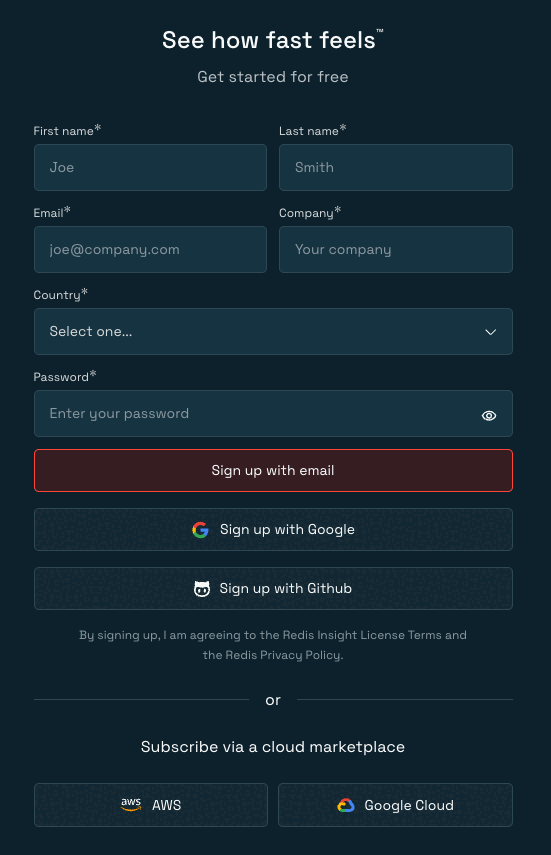
2. Follow the instructions to create a free database.
You can alternatively follow the [installation guides](https://redis.io/docs/latest/operate/oss_and_stack/install/install-stack) to install Redis on your local machine.
## Connect
The first step is to connect to Redis. You can find further details about the connection options in this documentation site's [Tools section](https://redis.io/docs/latest/develop/tools). The following example shows how to connect to a Redis server that runs on localhost (`-h 127.0.0.1`) and listens on the default port (`-p 6379`):
Foundational: Connect to a Redis server
**Difficulty:** Beginner
**Commands:** REDIS-CLI
**Available in:** Redis CLI, C#, Go, Java (Synchronous - Jedis), JavaScript (Node.js), Python
##### Redis CLI
```
> redis-cli -h 127.0.0.1 -p 6379
```
##### C#
```csharp
var muxer = ConnectionMultiplexer.Connect("localhost:6379");
var db = muxer.GetDatabase();
var ft = db.FT();
var json = db.JSON();
```
##### Go
```go
ctx := context.Background()
rdb := redis.NewClient(&redis.Options{
Addr: "localhost:6379",
Password: "", // no password docs
DB: 0, // use default DB
Protocol: 2,
})
```
##### Java (Synchronous - Jedis)
```java
RedisClient jedis = RedisClient.create("localhost", 6379);
```
##### JavaScript (Node.js)
```javascript
const client = createClient();
client.on('error', err => console.log('Redis Client Error', err));
await client.connect();
```
##### Python
```python
r = redis.Redis(host="localhost", port=6379, db=0, decode_responses=True)
```
> [!TIP]
> You can copy and paste the connection details from the Redis Cloud database configuration page. Here is an example connection string of a Cloud database that is hosted in the AWS region `us-east-1` and listens on port 16379: `redis-16379.c283.us-east-1-4.ec2.cloud.redislabs.com:16379`. The connection string has the format `host:port`. You must also copy and paste the username and password of your Cloud database and then either pass the credentials to your client or use the [AUTH command](https://redis.io/docs/latest/commands/auth) after the connection is established.
## Store and retrieve data
Redis stands for Remote Dictionary Server. You can use the same data types as in your local programming environment but on the server side within Redis.
Similar to byte arrays, Redis strings store sequences of bytes, including text, serialized objects, counter values, and binary arrays. The following example shows you how to set and get a string value:
Foundational: Set and retrieve string values using SET and GET commands
**Difficulty:** Beginner
**Available in:** Redis CLI, C#, Go, Java (Asynchronous - Lettuce), Java (Reactive - Lettuce), Java (Synchronous - Jedis), JavaScript (Node.js), JavaScript (Node.js), PHP, Python, Ruby, Rust (Asynchronous), Rust (Synchronous)
##### Redis CLI
```
> SET bike:1 "Process 134"
> GET bike:1
```
##### C#
```csharp
using NRedisStack.Tests;
using StackExchange.Redis;
public class SetGetExample
{
public void Run()
{
var muxer = ConnectionMultiplexer.Connect("localhost:6379");
var db = muxer.GetDatabase();
bool status = db.StringSet("bike:1", "Process 134");
if (status)
Console.WriteLine("Successfully added a bike.");
var value = db.StringGet("bike:1");
if (value.HasValue)
Console.WriteLine("The name of the bike is: " + value + ".");
}
}
```
##### Go
```go
package example_commands_test
import (
"context"
"fmt"
"github.com/redis/go-redis/v9"
)
func ExampleClient_Set_and_get() {
ctx := context.Background()
rdb := redis.NewClient(&redis.Options{
Addr: "localhost:6379",
Password: "", // no password docs
DB: 0, // use default DB
})
err := rdb.Set(ctx, "bike:1", "Process 134", 0).Err()
if err != nil {
panic(err)
}
fmt.Println("OK")
value, err := rdb.Get(ctx, "bike:1").Result()
if err != nil {
panic(err)
}
fmt.Printf("The name of the bike is %s", value)
}
```
##### Java (Asynchronous - Lettuce)
```java
package io.redis.examples.async;
import io.lettuce.core.RedisClient;
import io.lettuce.core.api.async.RedisAsyncCommands;
import io.lettuce.core.api.StatefulRedisConnection;
import java.util.concurrent.CompletableFuture;
public class SetGetExample {
public void run() {
RedisClient redisClient = RedisClient.create("redis://localhost:6379");
try (StatefulRedisConnection connection = redisClient.connect()) {
RedisAsyncCommands asyncCommands = connection.async();
CompletableFuture setGetExample = asyncCommands.set("bike:1", "Process 134")
.thenCompose(res1 -> {
System.out.println(res1); // >>> OK
return asyncCommands.get("bike:1");
}).thenAccept(res2 -> {
System.out.println(res2); // >>> Process 134
}).toCompletableFuture();
setGetExample.join();
} finally {
redisClient.shutdown();
}
}
}
```
##### Java (Reactive - Lettuce)
```java
package io.redis.examples.reactive;
import io.lettuce.core.RedisClient;
import io.lettuce.core.api.reactive.RedisReactiveCommands;
import io.lettuce.core.api.StatefulRedisConnection;
import reactor.core.publisher.Mono;
public class SetGetExample {
public void run() {
RedisClient redisClient = RedisClient.create("redis://localhost:6379");
try (StatefulRedisConnection connection = redisClient.connect()) {
RedisReactiveCommands reactiveCommands = connection.reactive();
Mono setGetExample = reactiveCommands.set("bike:1", "Process 134")
.doOnNext(res1 -> {
System.out.println(res1); // >>> OK
})
.then(reactiveCommands.get("bike:1"))
.doOnNext(res2 -> {
System.out.println(res2); // >>> Process 134
})
.then();
setGetExample.block();
} finally {
redisClient.shutdown();
}
}
}
```
##### Java (Synchronous - Jedis)
```java
package io.redis.examples;
import redis.clients.jedis.RedisClient;
public class SetGetExample {
public void run() {
RedisClient jedis = RedisClient.create("redis://localhost:6379");
String status = jedis.set("bike:1", "Process 134");
if ("OK".equals(status)) System.out.println("Successfully added a bike.");
String value = jedis.get("bike:1");
if (value != null) System.out.println("The name of the bike is: " + value + ".");
jedis.close();
}
}
```
##### JavaScript (Node.js)
```javascript
import { createClient } from 'redis';
const client = createClient();
client.on('error', err => console.log('Redis Client Error', err));
await client.connect().catch(console.error);
await client.set('bike:1', 'Process 134');
const value = await client.get('bike:1');
console.log(value);
// returns 'Process 134'
await client.close();
```
##### JavaScript (Node.js)
```javascript
import assert from 'node:assert';
import { Redis } from 'ioredis';
const redis = new Redis();
const res1 = await redis.set('bike:1', 'Process 134');
console.log(res1); // >>> OK
const res2 = await redis.get('bike:1');
console.log(res2); // >>> Process 134
redis.disconnect();
```
##### JavaScript (Node.js)
```javascript
import { createClient } from 'redis';
const client = createClient();
client.on('error', err => console.log('Redis Client Error', err));
await client.connect().catch(console.error);
await client.set('bike:1', 'Process 134');
const value = await client.get('bike:1');
console.log(value);
// returns 'Process 134'
await client.close();
```
##### JavaScript (Node.js)
```javascript
import assert from 'node:assert';
import { Redis } from 'ioredis';
const redis = new Redis();
const res1 = await redis.set('bike:1', 'Process 134');
console.log(res1); // >>> OK
const res2 = await redis.get('bike:1');
console.log(res2); // >>> Process 134
redis.disconnect();
```
##### PHP
```php
'tcp',
'host' => '127.0.0.1',
'port' => 6379,
'password' => '',
'database' => 0,
]);
$res1 = $r->set('bike:1', 'Process 134');
echo $res1 . PHP_EOL; // >>> OK
$res2 = $r->get('bike:1');
echo $res2 . PHP_EOL; // >>> Process 134
}
}
```
##### Python
```python
"""
Code samples for data structure store quickstart pages:
https://redis.io/docs/latest/develop/get-started/data-store/
"""
import redis
r = redis.Redis(host="localhost", port=6379, db=0, decode_responses=True)
res = r.set("bike:1", "Process 134")
print(res)
# >>> True
res = r.get("bike:1")
print(res)
# >>> "Process 134"
```
##### Ruby
```ruby
require 'redis'
r = Redis.new
res1 = r.set('bike:1', 'Process 134')
puts res1 # >>> OK
res2 = r.get('bike:1')
puts res2 # >>> Process 134
```
##### Rust (Asynchronous)
```rust
mod set_and_get_tests {
use redis::AsyncCommands;
async fn run() {
let mut r = match redis::Client::open("redis://127.0.0.1") {
Ok(client) => match client.get_multiplexed_async_connection().await {
Ok(conn) => conn,
Err(e) => {
println!("Failed to connect to Redis: {e}");
return;
}
},
Err(e) => {
println!("Failed to create Redis client: {e}");
return;
}
};
if let Ok(res1) = r.set("bike:1", "Process 134").await {
let res1: String = res1;
println!("{res1}"); // >>> OK
}
if let Ok(res2) = r.get("bike:1").await {
let res2: String = res2;
println!("{res2}"); // >>> Process 134
}
}
}
```
##### Rust (Synchronous)
```rust
mod set_and_get_tests {
use redis::Commands;
fn run() {
let mut r = match redis::Client::open("redis://127.0.0.1") {
Ok(client) => match client.get_connection() {
Ok(conn) => conn,
Err(e) => {
println!("Failed to connect to Redis: {e}");
return;
}
},
Err(e) => {
println!("Failed to create Redis client: {e}");
return;
}
};
if let Ok(res1) = r.set("bike:1", "Process 134") {
let res1: String = res1;
println!("{res1}"); // >>> OK
}
if let Ok(res2) = r.get("bike:1") {
let res2: String = res2;
println!("{res2}"); // >>> Process 134
}
}
}
```
Hashes are the equivalent of dictionaries (dicts or hash maps). Among other things, you can use hashes to represent plain objects and to store groupings of counters. The following example explains how to set and access field values of an object:
Foundational: Store and retrieve hash data structures using HSET to set multiple fields, HGET to retrieve individual fields, and HGETALL to retrieve all fields at once
**Difficulty:** Beginner
**Commands:** HSET, HGET, HGETALL
**Complexity:**
- HSET: O(1)
- HGET: O(1)
- HGETALL: O(N)
**Available in:** Redis CLI, C#, Go, Java (Asynchronous - Lettuce), Java (Reactive - Lettuce), Java (Synchronous - Jedis), JavaScript (Node.js), PHP, Python, Ruby, Rust (Asynchronous), Rust (Synchronous)
##### Redis CLI
```
> HSET bike:2 model Deimos brand Ergonom type 'Enduro bikes' price 4972
(integer) 4
> HGET bike:2 model
"Deimos"
> HGET bike:2 price
"4972"
> HGETALL bike:2
1) "model"
2) "Deimos"
3) "brand"
4) "Ergonom"
5) "type"
6) "Enduro bikes"
7) "price"
8) "4972"
```
##### C#
```csharp
db.HashSet("bike:1", [
new("model", "Deimos"),
new("brand", "Ergonom"),
new("type", "Enduro bikes"),
new("price", 4972)
]);
Console.WriteLine("Hash Created");
// Hash Created
var model = db.HashGet("bike:1", "model");
Console.WriteLine($"Model: {model}");
// Model: Deimos
var price = db.HashGet("bike:1", "price");
Console.WriteLine($"Price: {price}");
// Price: 4972
var bike = db.HashGetAll("bike:1");
Console.WriteLine("bike:1");
Console.WriteLine(string.Join("\n", bike.Select(b => $"{b.Name}: {b.Value}")));
// Bike:1:
// model: Deimos
// brand: Ergonom
// type: Enduro bikes
// price: 4972
```
##### Go
```go
hashFields := []string{
"model", "Deimos",
"brand", "Ergonom",
"type", "Enduro bikes",
"price", "4972",
}
res1, err := rdb.HSet(ctx, "bike:1", hashFields).Result()
if err != nil {
panic(err)
}
fmt.Println(res1) // >>> 4
res2, err := rdb.HGet(ctx, "bike:1", "model").Result()
if err != nil {
panic(err)
}
fmt.Println(res2) // >>> Deimos
res3, err := rdb.HGet(ctx, "bike:1", "price").Result()
if err != nil {
panic(err)
}
fmt.Println(res3) // >>> 4972
cmdReturn := rdb.HGetAll(ctx, "bike:1")
res4, err := cmdReturn.Result()
if err != nil {
panic(err)
}
fmt.Println(res4)
// >>> map[brand:Ergonom model:Deimos price:4972 type:Enduro bikes]
type BikeInfo struct {
Model string `redis:"model"`
Brand string `redis:"brand"`
Type string `redis:"type"`
Price int `redis:"price"`
}
var res4a BikeInfo
if err := cmdReturn.Scan(&res4a); err != nil {
panic(err)
}
fmt.Printf("Model: %v, Brand: %v, Type: %v, Price: $%v\n",
res4a.Model, res4a.Brand, res4a.Type, res4a.Price)
// >>> Model: Deimos, Brand: Ergonom, Type: Enduro bikes, Price: $4972
```
##### Java (Asynchronous - Lettuce)
```java
Map bike1 = new HashMap<>();
bike1.put("model", "Deimos");
bike1.put("brand", "Ergonom");
bike1.put("type", "Enduro bikes");
bike1.put("price", "4972");
CompletableFuture setGetAll = asyncCommands.hset("bike:1", bike1).thenCompose(res1 -> {
System.out.println(res1); // >>> 4
return asyncCommands.hget("bike:1", "model");
}).thenCompose(res2 -> {
System.out.println(res2); // >>> Deimos
return asyncCommands.hget("bike:1", "price");
}).thenCompose(res3 -> {
System.out.println(res3); // >>> 4972
return asyncCommands.hgetall("bike:1");
})
.thenAccept(System.out::println)
// >>> {type=Enduro bikes, brand=Ergonom, price=4972, model=Deimos}
.toCompletableFuture();
```
##### Java (Reactive - Lettuce)
```java
Map bike1 = new HashMap<>();
bike1.put("model", "Deimos");
bike1.put("brand", "Ergonom");
bike1.put("type", "Enduro bikes");
bike1.put("price", "4972");
Mono setGetAll = reactiveCommands.hset("bike:1", bike1).doOnNext(result -> {
System.out.println(result); // >>> 4
});
setGetAll.block();
Mono getModel = reactiveCommands.hget("bike:1", "model").doOnNext(result -> {
System.out.println(result); // >>> Deimos
});
Mono getPrice = reactiveCommands.hget("bike:1", "price").doOnNext(result -> {
System.out.println(result); // >>> 4972
});
Mono>> getAll = reactiveCommands.hgetall("bike:1").collectList().doOnNext(result -> {
System.out.println(result);
// >>> [KeyValue[type, Enduro bikes], KeyValue[brand, Ergonom],
// KeyValue[price, 4972], KeyValue[model, Deimos]]
});
```
##### Java (Synchronous - Jedis)
```java
Map bike1 = new HashMap<>();
bike1.put("model", "Deimos");
bike1.put("brand", "Ergonom");
bike1.put("type", "Enduro bikes");
bike1.put("price", "4972");
Long res1 = jedis.hset("bike:1", bike1);
System.out.println(res1); // 4
String res2 = jedis.hget("bike:1", "model");
System.out.println(res2); // Deimos
String res3 = jedis.hget("bike:1", "price");
System.out.println(res3); // 4972
Map res4 = jedis.hgetAll("bike:1");
System.out.println(res4); // {type=Enduro bikes, brand=Ergonom, price=4972, model=Deimos}
```
##### JavaScript (Node.js)
```javascript
const res1 = await client.hSet(
'bike:1',
{
'model': 'Deimos',
'brand': 'Ergonom',
'type': 'Enduro bikes',
'price': 4972,
}
)
console.log(res1) // 4
const res2 = await client.hGet('bike:1', 'model')
console.log(res2) // 'Deimos'
const res3 = await client.hGet('bike:1', 'price')
console.log(res3) // '4972'
const res4 = await client.hGetAll('bike:1')
console.log(res4)
/*
{
brand: 'Ergonom',
model: 'Deimos',
price: '4972',
type: 'Enduro bikes'
}
*/
```
##### PHP
```php
$res1 = $r->hmset('bike:1', [
'model' => 'Deimos',
'brand' => 'Ergonom',
'type' => 'Enduro bikes',
'price' => 4972,
]);
echo $res1 . PHP_EOL;
// >>> 4
$res2 = $r->hget('bike:1', 'model');
echo $res2 . PHP_EOL;
// >>> Deimos
$res3 = $r->hget('bike:1', 'price');
echo $res3 . PHP_EOL;
// >>> 4972
$res4 = $r->hgetall('bike:1');
echo json_encode($res3) . PHP_EOL;
// >>> {"name":"Deimos","brand":"Ergonom","type":"Enduro bikes","price":"4972"}
```
##### Python
```python
res1 = r.hset(
"bike:1",
mapping={
"model": "Deimos",
"brand": "Ergonom",
"type": "Enduro bikes",
"price": 4972,
},
)
print(res1)
# >>> 4
res2 = r.hget("bike:1", "model")
print(res2)
# >>> 'Deimos'
res3 = r.hget("bike:1", "price")
print(res3)
# >>> '4972'
res4 = r.hgetall("bike:1")
print(res4)
# >>> {'model': 'Deimos', 'brand': 'Ergonom', 'type': 'Enduro bikes', 'price': '4972'}
```
##### Ruby
```ruby
res1 = r.hset('bike:1', {
'model' => 'Deimos',
'brand' => 'Ergonom',
'type' => 'Enduro bikes',
'price' => 4972
})
puts res1 # >>> 4
res2 = r.hget('bike:1', 'model')
puts res2 # >>> Deimos
res3 = r.hget('bike:1', 'price')
puts res3 # >>> 4972
res4 = r.hgetall('bike:1')
puts res4.inspect
# >>> {"model" => "Deimos", "brand" => "Ergonom", "type" => "Enduro bikes", "price" => "4972"}
```
##### Rust (Asynchronous)
```rust
let hash_fields = [
("model", "Deimos"),
("brand", "Ergonom"),
("type", "Enduro bikes"),
("price", "4972"),
];
if let Ok(res) = r.hset_multiple("bike:1", &hash_fields).await {
let res: String = res;
println!("{res}"); // >>> OK
}
match r.hget("bike:1", "model").await {
Ok(res) => {
let res: String = res;
println!("{res}"); // >>> Deimos
},
Err(e) => {
println!("Error getting bike:1 model: {e}");
return;
}
};
match r.hget("bike:1", "price").await {
Ok(res) => {
let res: String = res;
println!("{res}"); // >>> 4972
},
Err(e) => {
println!("Error getting bike:1 price: {e}");
return;
}
};
match r.hgetall("bike:1").await {
Ok(res) => {
let res: Vec<(String, String)> = res;
println!("{res:?}");
// >>> [("model", "Deimos"), ("brand", "Ergonom"), ("type", "Enduro bikes"), ("price", "4972")]
},
Err(e) => {
println!("Error getting bike:1: {e}");
return;
}
};
```
##### Rust (Synchronous)
```rust
let hash_fields = [
("model", "Deimos"),
("brand", "Ergonom"),
("type", "Enduro bikes"),
("price", "4972"),
];
if let Ok(res) = r.hset_multiple("bike:1", &hash_fields) {
let res: String = res;
println!("{res}"); // >>> OK
}
match r.hget("bike:1", "model") {
Ok(res) => {
let res: String = res;
println!("{res}"); // >>> Deimos
},
Err(e) => {
println!("Error getting bike:1 model: {e}");
return;
}
};
match r.hget("bike:1", "price") {
Ok(res) => {
let res: String = res;
println!("{res}"); // >>> 4972
},
Err(e) => {
println!("Error getting bike:1 price: {e}");
return;
}
};
match r.hgetall("bike:1") {
Ok(res) => {
let res: Vec<(String, String)> = res;
println!("{res:?}");
// >>> [("model", "Deimos"), ("brand", "Ergonom"), ("type", "Enduro bikes"), ("price", "4972")]
},
Err(e) => {
println!("Error getting bike:1: {e}");
return;
}
};
```
You can get a complete overview of available data types in this documentation site's [data types section](https://redis.io/docs/latest/develop/data-types). Each data type has commands allowing you to manipulate or retrieve data. The [commands reference](/commands/) provides a sophisticated explanation.
## Scan the keyspace
Each item within Redis has a unique key. All items live within the Redis [keyspace](https://redis.io/docs/latest/develop/using-commands/keyspace). You can scan the Redis keyspace via the [SCAN command](https://redis.io/docs/latest/commands/scan). Here is an example that scans for the first 100 keys that have the prefix `bike:`:
```
SCAN 0 MATCH "bike:*" COUNT 100
```
[SCAN](https://redis.io/docs/latest/commands/scan) returns a cursor position, allowing you to scan iteratively for the next batch of keys until you reach the cursor value 0.
## Next steps
You can address more use cases with Redis by reading these additional quick start guides:
* [Redis as a document database](https://redis.io/docs/latest/develop/get-started/search-tutorial)
* [Redis as a vector database](https://redis.io/docs/latest/develop/get-started/search-tutorial/vector-search)
## Continue learning with Redis University