# Configure permissions with Redis ACLs
```json metadata
{
"schema_version": 2,
"title": "Configure permissions with Redis ACLs",
"description": "",
"categories": ["docs","operate","rc"],
"tableOfContents": {"sections":[{"children":[{"id":"command-acl-rules","title":"Command ACL rules"},{"id":"command-category-acl-rules","title":"Command category ACL rules"},{"id":"key-acl-rules","title":"Key ACL rules"},{"id":"pubsub-acl-rules","title":"Pub/sub ACL rules"},{"id":"selectors","title":"Selectors"},{"id":"predefined-permissions","title":"Predefined permissions"},{"id":"advanced-capability-command-permissions","title":"Advanced capability command permissions"}],"id":"define-permissions-with-acl-syntax","title":"Define permissions with ACL syntax"}]}
,
"codeExamples": []
}
```
You can define custom Redis ACL rules to assign to a data access role or use predefined Redis ACLs.
Redis provides three predefined ACL rules, which are marked with the Redis logo and can not be changed:
- **Full-Access**: Allows all commands.
- **Read-Write**: Allows read and write commands and excludes dangerous commands.
- **Read-Only**: Allows read commands only.
ACLs that are not marked with the Redis logo are user-defined ACL rules.
To configure a Redis ACL that you can assign to a data access role:
1. Go to **Data Access Control** from the [Redis Cloud console](https://cloud.redis.io/#/) menu.

1. Select the **Redis ACLs** tab.
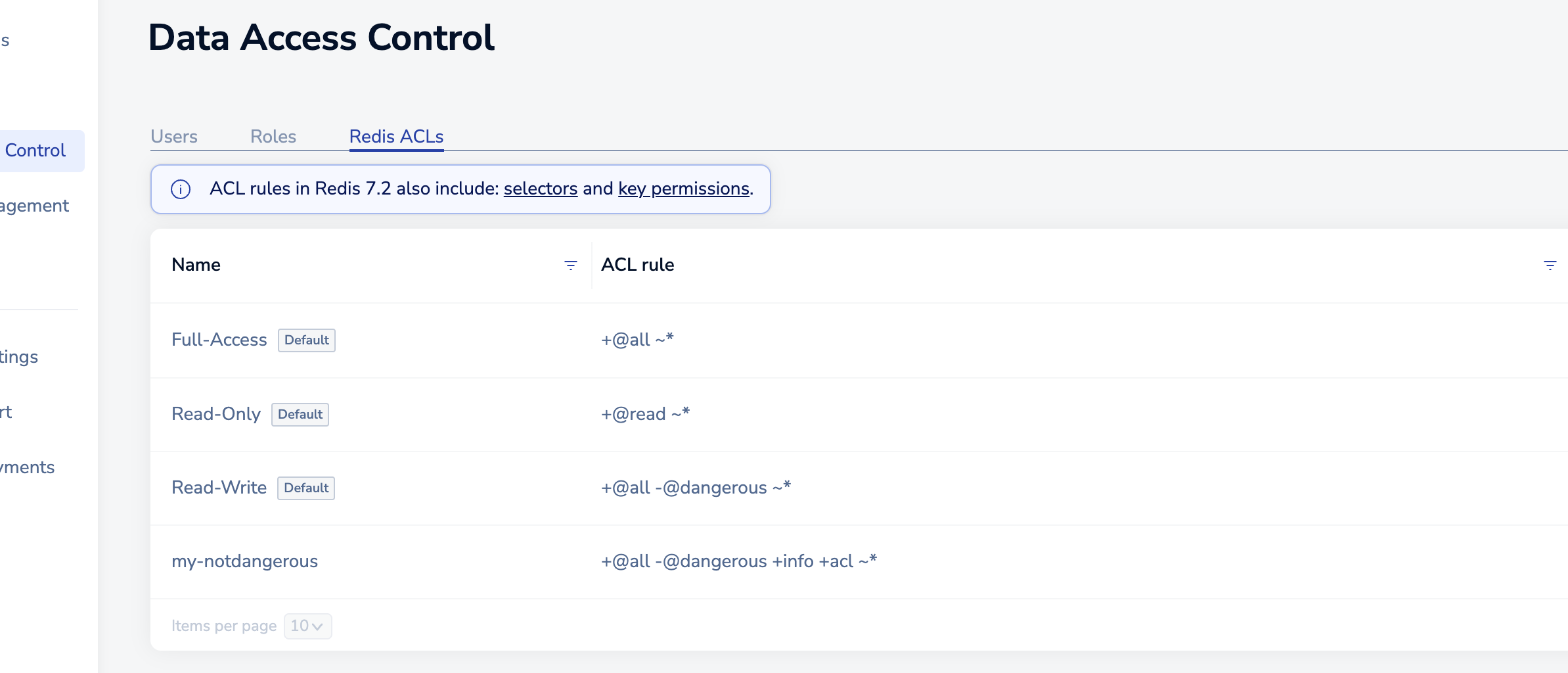
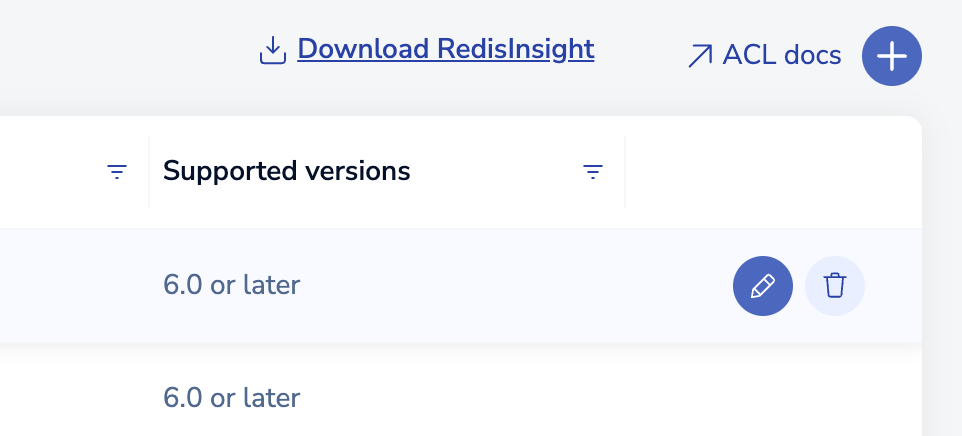
1. Either select `+` to create a new Redis ACL or point to an existing ACL and select the pencil icon to edit it.
> [!NOTE]
> The built-in Redis ACLs can't be edited.
1. Provide a descriptive name and create the ACL rule [using ACL syntax](#define-permissions-with-acl-syntax).

1. Select the check mark to save your changes. Your new Redis ACL should appear in the list.

After you create a Redis ACL, you can assign it to a role. Redis ACLs are not fully verified until they are assigned to a role. For more information, see [Create roles](https://redis.io/docs/latest/operate/rc/security/access-control/data-access-control/create-roles) or [Active-Active access roles](https://redis.io/docs/latest/operate/rc/security/access-control/data-access-control/active-active-roles) for an [Active-Active database](https://redis.io/docs/latest/operate/rc/databases/active-active).
## Define permissions with ACL syntax
You can define these permissions using the [Redis ACL syntax](https://redis.io/docs/latest/operate/oss_and_stack/management/security/acl#acl-rules). This syntax lets you concisely specify which commands, command categories, keys, and pub/sub channels to allow.
- `+` *includes* commands or command categories
- `-` *excludes* commands or command categories
- `@` indicates a command category
- `~` defines a permitted key pattern
- `&` allows access to a [pub/sub channel](https://redis.io/docs/latest/develop/pubsub)
The Redis Cloud console will validate your ACL syntax while you are typing.
### Command ACL rules
A **command** can be any [Redis command](/content/commands).
For example, this Redis ACL rule indicates that the `SET` command is permitted:
```sh
+set
```
### Command category ACL rules
A [**command category**](https://redis.io/docs/latest/operate/oss_and_stack/management/security/acl#command-categories) is a predefined, named set of commands.
For example, the Redis commands that
read data are available in the `read` command category. This Redis ACL rule permits access to all read commands:
```sh
+@read
```
To find out which commands are included in the
`read` command category, run the following command with [`redis-cli`](https://redis.io/docs/latest/operate/rs/references/cli-utilities/redis-cli):
```sh
ACL CAT read
```
### Key ACL rules
To specify which **keys** are accessible, use the [key permissions syntax](https://redis.io/docs/latest/operate/oss_and_stack/management/security/acl#key-permissions).
The following ACL rule allows access to all keys:
```sh
~*
```
Whereas, this ACL rule only allows access to keys prefixed with `cache:`
```
~cache:*
```
Starting with Redis 7.0, key patterns can also be used to define how a command is able to read or write a key.
The following ACL rule allows you to copy information from keys prefixed with `cache:` into keys prefixed with `app:`:
```text
+@all ~app:* %R~cache:*
```
For more information on how this works, see the [key permissions syntax](https://redis.io/docs/latest/operate/oss_and_stack/management/security/acl#key-permissions).
### Pub/sub ACL rules
Pub/sub ACL rules determine which pub/sub channels a user can access. For more information see, [Redis pub/sub](https://redis.io/docs/latest/develop/pubsub)
For versions older than Redis 7.0, pub/sub is permissive and allows access to all channels by default.
Redis 7.0 makes pub/sub restrictive and blocks access to all channels in Redis Software. However, Redis Cloud still defaults to permissive pub/sub even for Redis 7.0 subscriptions.
| Redis
version | Redis Open Source
pub/sub ACLs | Redis Cloud
pub/sub ACLs |
|:-------------:|-----------|-------------|
| 6.0 | Not supported | Not supported |
| 6.2 | Permissive | Permissive |
| 7.0 | Restrictive | Permissive |
#### Restrict channel access
To block access to all channels, use the following ACL rule:
```sh
resetchannels
```
If you want to limit access to specific channels, first include `resetchannels`. Then use `&` syntax to allow access to particular channels:
```sh
resetchannels &channel1 &channel2
```
#### Allow all channels
To make pub/sub explicitly permissive and allow users to access all channels, set the following rule:
```sh
allchannels
```
### Selectors
Starting with Redis 7.0, Redis supports adding multiple sets of rules that are evaluated independently of each other, called [selectors](https://redis.io/docs/latest/operate/oss_and_stack/management/security/acl#selectors).
The following ACL rule allows a user to execute `GET` on keys prefixed with `cache` and `SET` on keys prefixed with `app`:
```text
+GET ~cache:* (+SET ~app:*)
```
### Predefined permissions
Redis Cloud includes three predefined permissions:
- Full-Access (`+@all ~*`) - All commands are allowed for all keys.
- Read-Write (`+@all -@dangerous ~*`) - All commands except for the `dangerous` command category are allowed for all keys.
- Read-Only (`+@read ~*`) - Only the `read` command category is allowed for all keys.
### Advanced capability command permissions
Note that you can define permissions for the Redis commands of any advanced capabilities that are part of your subscription;
however, these permissions can only be used for databases that support those capabilities.